

Email marketing tools send campaigns, automate sequences, and track results across a subscriber list. This guide ranks the 15 platforms we’d trust with a real list in July 2026. ActiveCampaign takes the top spot for automation depth and a 4.5 out of 5 G2 rating across 14,000+ reviews.
Full disclosure: EmailAnalytics publishes this blog. We make an email analytics tool that visualizes team email activity in Gmail and Outlook: response times, email volumes, and SLA tracking. So we don’t compete with anything ranked below, and none of these entries is us.
Wait, the last version of this list had 25 tools. Where did the rest go? We cut 12 that didn’t belong and added 2 that did.
The top 15 cover the platforms and deliverability tools we’d trust with a real list. The tools that follow handle warmup, DMARC monitoring, and outreach automation.
Cold outreach is a different job too. For that you’ll want an email outreach tool, an email finder guide, and patience with the email gods. (The email gods are the inbox providers who decide whether your mail lands in spam; they’ll come up again.)
Building an email drip campaign from scratch takes real work, but the right platform makes it manageable. A drip campaign is a pre-written email series sent automatically on a schedule or after a subscriber action.
Key insight: Nearly every platform below prices by subscriber count. Deleting dead contacts is the cheapest upgrade in email marketing, and it pleases the email gods as a bonus.
All 27 Email Marketing Tools at a Glance
| # | Tool | Best for | Starting price |
|---|---|---|---|
| 1 | ActiveCampaign | Advanced marketing automation | $15/month (annual) |
| 2 | beehiiv | Newsletter growth and monetization | Free; Lite from $49/month (annual) |
| 3 | Sender | High-volume free plan | $7/month |
| 4 | Mailchimp | Beginners and small businesses | $13/month |
| 5 | Brevo | Large lists, volume-based pricing | $9/month |
| 6 | Kit | Creators and digital products | $39/month |
| 7 | DMARKOFF | DMARC monitoring and deliverability | $10/month per domain |
| 8 | Omnisend | Ecommerce email and SMS | $16/month |
| 9 | HubSpot | CRM-connected email | $15/seat/month (annual) |
| 10 | GetResponse | Webinar-driven lead generation | $19/month |
| 11 | Moosend | Budget automation, unlimited sends | $9/month |
| 12 | Drip | Ecommerce revenue attribution | $39/month |
| 13 | AWeber | WordPress sites, free plan basics | $15/month |
| 14 | SendPulse | Chatbots and multichannel | $9.60/month (annual) |
| 15 | Keap | CRM and automation for service businesses | $249/month (annual) |
| 16 | E-goi | Omnichannel ecommerce automation (EU) | Free plan; scales by contacts |
| 17 | Sequenzy | AI-assisted campaign copywriting | $19/month |
| 18 | NotifyVisitors | Email plus push notifications | Usage-based |
| 19 | Dripify | LinkedIn and email outreach | $39/month |
| 20 | Warmy.io | Email warmup and deliverability | $49/month per mailbox |
| 21 | MailBluster | Low-cost sending via Amazon SES | $5/month |
| 22 | Flodesk | Design-led newsletters, flat pricing | $25/month |
| 23 | SendX | Unlimited sends on a budget | $9.99/month |
| 24 | Systeme.io | All-in-one funnels and courses | $27/month |
| 25 | MotionMail | Countdown timers in emails | $10/month |
| 26 | Albacross | B2B website visitor identification | $79/month |
| 27 | ReachMail | Free high-volume sending | $10/month |
How We Evaluated These Email Marketing Tools (July 2026)
We checked every price, free plan, and ownership claim against each vendor’s pricing page or current published sources on July 10, 2026. That mattered this cycle. Mailchimp shrank its free plan, Constant Contact bought Moosend, and Thryv bought Keap.
beehiiv joined the ranking in October 2026, after that check. Its pricing comes from beehiiv’s own pricing page as checked that month.
Rankings weigh five criteria: category fit, automation depth, pricing value at small and mid list sizes, free plan generosity, and review footprint. I gave extra weight to platforms that publish their prices instead of hiding them behind a sales call. Every entry lists at least one real limitation, because a list where nothing has flaws is an ad.
1. ActiveCampaign: Best for Advanced Marketing Automation

Quick summary: ActiveCampaign is a marketing automation platform with branching visual workflows, a built-in CRM, and 950+ prebuilt automation recipes. It holds a 4.5 out of 5 rating on G2 across more than 14,000 reviews.
ActiveCampaign builds the deepest automations of any tool on this list. Workflows branch on subscriber behavior, site visits, deal stage, and purchase data in real time.
The platform connects to 1,000+ apps, including Shopify, Salesforce, and WordPress. Email send limits scale from 10x to 15x your contact count by plan. A 30-day money-back guarantee backs every tier.
Key features:
- Visual automation builder with branching logic and 950+ prebuilt recipes
- Built-in CRM, with pipeline and sales engagement add-ons
- Predictive sending and spam checks through its Active Intelligence AI
- A/B testing across both emails and full automations on higher tiers
- 1,000+ integrations plus API and webhooks
Pricing: Starter costs $15/month for 1,000 contacts on annual billing. Plus runs $49/month, Pro $79/month, and Enterprise $145/month, all scaling with contact count (pricing page).
Who should choose ActiveCampaign:
- Teams that have outgrown entry-level email tools
- Businesses that want email and CRM working from one dataset
- Stores that need behavior-based segmentation across channels
Limitations: The interface takes weeks to learn, and costs climb as contact bands rise. Starter caps automations at 5 actions, which defeats the reason most people buy ActiveCampaign.
2. beehiiv: Best for Newsletter Growth and Monetization
Quick summary: beehiiv is an all-in-one newsletter platform for creators, publishers and businesses. It covers sending, audience growth and monetization, so you don’t have to stitch several tools together.
beehiiv combines newsletter publishing, growth tools and monetization in one platform. Its built-in website builder, referral program and recommendation network help publishers attract new subscribers. Email automations and segmentation keep those readers engaged.
For publishers turning a newsletter into a business, beehiiv adds paid subscriptions, an ad network and digital product sales. The free plan makes it easy to start, and paid plans unlock more as the audience grows.
Key features:
- Newsletter creation and sending with a built-in website builder
- Subscriber growth tools, including a referral program and a recommendation network
- Email automations, segmentation and audience analytics
- Monetization through paid subscriptions, advertising and digital products
- Custom domains, landing pages and signup forms
- AI tools for creating and managing newsletter content
Pricing: Free for up to 2,500 subscribers. Lite starts at $49/month and Pro at $95/month, billed yearly (pricing page).
Who should choose beehiiv:
- Newsletter creators who want to grow and monetize an audience
- Publishers who want email, a website and monetization in one place
- Businesses using a newsletter to build an audience around their brand
Limitations: beehiiv is built around newsletters and publishing, so stores selling products may get more from an ecommerce-focused platform. The pricing page shows only yearly rates for Lite and Pro.
3. Sender: Best High-Volume Free Plan

Quick summary: Sender is a budget email and SMS platform whose free plan covers 2,500 subscribers and 15,000 emails per month. That’s the largest free volume on this list.
Sender includes automation workflows, segmentation, popups, and forms on every plan, free included. Few free tiers hand over that much sending volume with features intact.
Deliverability gets unusual attention for the price. Sender runs its own infrastructure with strict anti-spam enforcement, which protects the shared reputation every customer depends on.
Key features:
- Free plan with 2,500 subscribers and 15,000 monthly emails
- Email and SMS campaigns in one dashboard
- Automation workflows with behavioral triggers
- Ready-made popup, form, and newsletter templates
- Strict anti-spam enforcement guarding shared deliverability
Pricing: Standard starts at $7/month at the smallest list size (pricing page).
Who should choose Sender:
- Tight budgets that need real sending volume for free
- Small stores that want email and SMS without enterprise pricing
- Senders who rank inbox placement above interface polish
Limitations: Reporting and templates stay basic, and the brand carries less third-party review coverage than the majors. Send allowances use multipliers of list size that take careful reading.
4. Mailchimp: Best for Beginners and Small Businesses

Quick summary: Mailchimp is the most widely recognized email marketing platform, with a drag-and-drop builder, hundreds of templates, and light CRM tools. Intuit has owned it since 2021.
Mailchimp stays the easiest on-ramp into email marketing. The builder, hundreds of email newsletter templates, landing pages, and signup forms all live in one place.
One 2026 change to know: the free plan now caps at 250 contacts and 500 sends per month, down from 500 contacts. Paid plans come with 14-day free trials, so testing costs nothing.
Key features:
- Drag-and-drop builder with hundreds of prebuilt templates
- Free plan for up to 250 contacts and 500 monthly sends
- Landing pages, popup forms, and social media posting
- A/B testing for subject lines and content
- Audience management with tags and basic CRM views
Pricing: Essentials starts at $13/month and Standard at $20/month, both at 500 contacts. Premium starts at $350/month (pricing page).
Who should choose Mailchimp:
- Beginners launching their first campaigns
- Small businesses that want a recognizable, well-documented platform
- Teams that need email, landing pages, and social posting together
Limitations: Prices rise fast as contacts grow, and the shrunken free plan pushes upgrades early. Automation depth trails ActiveCampaign at every tier.
5. Brevo: Best Value for Large Lists

Quick summary: Brevo is an email and SMS platform that prices by monthly email volume instead of list size. The free plan stores up to 100,000 contacts.
Brevo flips the usual pricing model. You pay for emails sent per month, so a big list you mail occasionally costs less than on contact-based platforms.
The free plan sends 300 emails per day with no expiration date. One account also covers SMS, WhatsApp, and transactional email, which normally takes a second vendor.
Key features:
- Volume-based pricing that ignores list size
- Free plan with 300 daily sends and 100,000 stored contacts
- SMS and WhatsApp campaigns from the same dashboard
- Transactional email with API access built in
- Marketing automation workflows on paid tiers
Pricing: Starter begins at $9/month. The high-volume Professional tier starts at $499/month (pricing page).
Who should choose Brevo:
- Businesses with large lists and modest sending frequency
- Teams that want marketing and transactional email from one vendor
- European companies that value EU infrastructure and GDPR-first design
Limitations: The 300-email daily cap makes the free plan a testing ground rather than a growth plan. Templates and reporting feel thinner than Mailchimp’s.
6. Kit: Best for Creators and Digital Product Sellers

Quick summary: Kit (formerly ConvertKit, renamed in 2024) is an email platform for creators. It pairs subscriber tagging with a visual automation builder and built-in digital product sales.
Kit segments by tags instead of separate lists, tracking interests, purchases, and engagement per subscriber. Pair it with disciplined email metrics tracking and you can see exactly which sequences convert.
The free Newsletter plan covers up to 10,000 subscribers with one automation, the highest free ceiling on this list. Paid plans add multiple automations, A/B testing, and free migration from other platforms.
Key features:
- Subscriber tagging that replaces list juggling
- Free Newsletter plan up to 10,000 subscribers
- Digital product and paid subscription selling built in
- Landing pages and opt-in forms with no code
- Creator Network cross-promotion recommendations
Pricing: Creator starts at $39/month for 1,000 subscribers, with about 16% off on annual billing (pricing page). Creator Pro adds advanced reporting at a higher rate per tier.
Who should choose Kit:
- Bloggers, podcasters, and YouTubers building an audience
- Course creators and digital product sellers who want built-in commerce
- Newsletter writers monetizing subscriptions directly
Limitations: Templates stay deliberately minimal and text-first, which frustrates visual brands. Costs scale with subscribers, so a 10,000-person list gets expensive the day you need a second automation.
7. DMARKOFF: Best for DMARC Monitoring and Deliverability

Quick Summary
DMARKOFF is a DMARC monitoring platform built for email marketers and teams that care about their sender reputation, domain security, and inbox placement. It helps you constantly check authentication results, identify who is sending emails on behalf of your domain, detect unauthorized sources, and resolve issues before they impact email deliverability.
DMARKOFF focuses on the technical foundation behind successful email delivery. With automated DMARC report analysis, SPF/DKIM/DMARC record checking, smart alerts for suspicious activity, and AI-powered insights from a built-in assistant, Luma, it helps marketers maintain a healthy sending infrastructure as they grow. The platform also provides an MCP server for AI agents such as Claude, ChatGPT, Cursor, and Windsurf.
Pricing: $10/month per monitored domain or $100/year (save $20). A 14-day free trial is available, with custom Agency+ plans for teams managing 10+ domains.
Key Features:
- Automated DMARC monitoring to track authentication results and sending sources
- Unlimited users, DMARC messages, and projects
- Multi-domain management with projects, severity prioritization, and secure sharing
- Smart alerts for authentication failures, suspicious email traffic, and configuration changes
- AI-powered DMARC report analysis with the Luma assistant
- MCP server for AI agents with direct access to live domain monitoring data
Who Should Choose DMARKOFF
- Email marketers who want to stay compliant with the latest sender requirements
- Businesses protecting brand reputation and improving email deliverability
- Marketing agencies and consultants managing multiple client domains
- Security teams managing infrastructure to detect threats and prevent domain abuse
8. Omnisend: Best for Ecommerce Email and SMS

Quick summary: Omnisend is an ecommerce marketing platform that combines email, SMS, and push notifications in one drag-and-drop automation workflow.
Omnisend ships prebuilt ecommerce automations for cart abandonment, welcome series, order confirmations, and post-purchase follow-ups. Native integrations cover Shopify, WooCommerce, and BigCommerce, pulling product data straight into messages.
Omnisend’s new SMS pricing uses tiered volume rates from $0.007 per US message, so per-message costs drop as sending grows. That matters for stores pushing email and SMS together.
Key features:
- Email, SMS, and push notifications in a single workflow
- Prebuilt cart abandonment, welcome, and post-purchase automations
- Product recommender inside the email builder
- Segmentation based on shopping behavior and engagement
- Native Shopify, WooCommerce, and BigCommerce integrations
Pricing: Free covers 250 contacts and 500 emails per month. Standard starts at $16/month and Pro at $59/month; SMS credits are a volume-priced add-on (pricing page).
Who should choose Omnisend:
- Ecommerce brands on Shopify, WooCommerce, or BigCommerce
- Teams that want email and SMS in one automation platform
- Stores leaving Mailchimp or Klaviyo over cost
Limitations: Everything assumes a store. Content businesses and B2B teams will fight the ecommerce framing at every step.
9. HubSpot: Best for CRM-Connected Email Marketing

Quick summary: HubSpot Email Marketing runs inside HubSpot’s CRM. Every send, open, and click lands on a contact record tied to pipeline and revenue.
HubSpot connects email to lifecycle stages, form fills, and deals. Segments draw on real CRM behavior rather than list membership alone, which sharpens targeting as data accumulates.
Free tools cover basic email, forms, and live chat. That makes HubSpot easy to test before spending anything.
Key features:
- Drag-and-drop builder with CRM-powered personalization
- Workflows for nurturing, onboarding, and re-engagement
- A/B testing for subject lines and content
- Analytics tied to contacts, campaigns, and revenue
- Free CRM foundation shared with sales and service tools
Pricing: Marketing Hub Starter costs $15 per seat per month on annual billing, or $20 billed monthly. Professional jumps to $890/month for 2,000 contacts (pricing page).
Who should choose HubSpot:
- Teams already running HubSpot CRM
- Businesses that want campaign results attributed to deals
- Companies consolidating marketing, sales, and service tooling
Limitations: The price cliff between Starter and Professional is the steepest on this list. Buy HubSpot for the CRM first and treat email as one part of it.
10. GetResponse: Best for Webinar-Driven Lead Generation

Quick summary: GetResponse is an email marketing platform with autoresponders, conversion funnels, and built-in webinar hosting, which stays rare among email tools.
GetResponse handles the full workflow from list import through automation and reporting. Webinar hosting makes it the pick for teams that fill their pipeline with live sessions.
The conversion funnel builder chains signup pages, emails, and sales pages into one tracked flow. Build a routine for analyzing campaign data and the funnel view earns its keep.
Key features:
- Autoresponders and a multi-step automation builder
- Conversion funnel builder for complete campaign flows
- Built-in webinar hosting on higher tiers
- Landing pages with A/B testing
- List management and segmentation that scale past 100,000 contacts
Pricing: Starter costs $19/month for 1,000 contacts, or $15.58/month on annual billing, with a free trial (pricing page).
Who should choose GetResponse:
- Teams that use webinars as a lead generation channel
- Marketers who want funnels inside the email tool
- Growing businesses that need scalable list management
Limitations: The webinar and funnel features that set GetResponse apart sit on higher tiers. Entry pricing buys a fairly standard email tool.
11. Moosend: Best Budget Automation With Unlimited Sends

Quick summary: Moosend is a budget automation platform with unlimited email sends on paid plans and prebuilt automation recipes for common workflows.
Moosend charges $9/month for 500 contacts with unlimited sends, one of the lowest paid entry points anywhere. Automation recipes cover welcome flows, cart abandonment, and win-backs out of the box.
Constant Contact acquired Moosend from Sitecore in June 2025. The two platforms still run separately with separate pricing as of July 2026.
Key features:
- Unlimited email sends on every paid plan
- Prebuilt automation recipes for common workflows
- Click heatmaps in campaign analytics
- Landing pages and subscription forms included
- 30-day free trial with no credit card required
Pricing: Pro starts at $9/month for 500 contacts, with about 20% off on annual billing (pricing page).
Who should choose Moosend:
- Small businesses that want automation at the lowest paid price
- Frequent senders punished by send caps elsewhere
- Beginners who want workflows prebuilt instead of blank canvases
Limitations: Native integrations run thinner than the big platforms. Two ownership changes in four years leave its long-term product direction unclear.
12. Drip: Best for Ecommerce Revenue Attribution

Quick summary: Drip is an ecommerce email automation platform with revenue attribution that shows which specific emails drive sales.
Drip reacts to store behavior in real time, targeting first-time buyers, shopping cart abandoners, and repeat customers with separate flows. Purchase data personalizes every message.
Every plan includes every feature, so you pay only for contact count. At 2,500 contacts that’s $39/month; at 10,000 contacts it reaches about $154/month.
Key features:
- Visual automation builder with ecommerce triggers
- Prebuilt cart abandonment, post-purchase, and win-back workflows
- Revenue attribution per email and per workflow
- Deep Shopify and WooCommerce integration
- Dynamic content driven by purchase history
Pricing: From $39/month for up to 2,500 contacts, with a 14-day free trial (pricing page).
Who should choose Drip:
- Stores that want revenue numbers attached to every email
- Shopify and WooCommerce brands running layered flows
- Teams that outgrew entry-level ecommerce automation
Limitations: There’s no free plan, and the entry price runs high for small lists. Like Omnisend, it assumes a store; content senders should look elsewhere.
13. AWeber: Best Free Plan for WordPress Site Owners

Quick summary: AWeber is an email platform founded in 1998, with a free plan for 500 subscribers and dependable WordPress, Shopify, and Facebook integrations.
AWeber covers the basics without drama: list building, hundreds of templates, automations, and reporting. The free plan includes 500 subscribers, 3,000 monthly sends, landing pages, and live human support.
Integrations reach WordPress, Facebook, and Shopify.
Key features:
- Free plan with 500 subscribers and 3,000 monthly sends
- Hundreds of email templates with a drag-and-drop builder
- WordPress, Shopify, and Facebook integrations
- Automated sequences with tagging
- 24/7 human support, including on the free plan
Pricing: Lite starts at $15/month, or $12.49/month billed annually. Plus starts at $30/month, or $19.99/month annually (pricing page).
Who should choose AWeber:
- WordPress site owners who want proven email integration
- Small lists that want basics done well on a free plan
- Teams that value human support over cutting-edge features
Limitations: Feature development moves slowly, and the automation builder feels dated next to Kit or ActiveCampaign. Fine for basics, limiting beyond them.
14. SendPulse: Best for Chatbots and Multichannel Campaigns

Quick summary: SendPulse is a multichannel platform that automates email, SMS, web push, and chatbots for Telegram, WhatsApp, and Facebook Messenger.
SendPulse goes past email into channels most platforms ignore, especially chatbots. AI send-time optimization delivers each email when that subscriber tends to open.
The knowledge base walks you through how to create email templates step by step. The free plan covers 500 subscribers and 15,000 monthly emails.
Key features:
- Email, SMS, web push, and chatbot automation together
- AI-powered send time optimization
- Subscription forms and a landing page builder
- A/B testing with subscriber segmentation
- Free plan with 15,000 monthly emails
Pricing: Standard starts at $9.60/month on annual billing at the smallest tier (pricing page).
Who should choose SendPulse:
- Businesses running chatbot marketing alongside email
- Budget teams that want several channels in one bill
- Brands with audiences on Telegram or WhatsApp
Limitations: Each added channel brings settings sprawl, and depth per channel trails specialist tools. Email templates look plainer than Mailchimp’s.
15. Keap: Best CRM and Automation for Service Businesses

Quick summary: Keap is a combined CRM, marketing automation, and payments platform for service businesses. Thryv acquired it in late 2024 and sells it as a single plan.
Keap automates the whole client pipeline: capture, nurture, appointment, invoice. Think email automation software fused to a CRM and connected to your broader marketing strategies.
Thryv bought Keap for $80 million in late 2024, and new customers now get one unified plan. Implementation is mandatory and starts at $500, covering migration and done-for-you automations.
Key features:
- Visual automation builder tied to a full CRM pipeline
- Lead scoring with long-cycle nurture sequences
- Appointment scheduling, invoicing, and payments built in
- Ecommerce and payment processor integrations
- Guided implementation with data migration included
Pricing: $249/month on annual billing, or $299 month to month, for 1,500 contacts and 2 users. Extra users cost $39/month each (pricing page).
Who should choose Keap:
- Service businesses automating the full sales-to-delivery workflow
- Teams that want CRM, email, and billing on one invoice
- Owners running long nurture cycles with high customer value
Limitations: The price and mandatory implementation fee lock out casual senders. Newsletter-first teams would pay for CRM machinery they’d never touch.
More Email Marketing and Deliverability Tools
These tools cover adjacent jobs: deliverability monitoring, email warmup, transactional sending, and outreach automation. They sit outside the core campaign-platform ranking above, but each earns its place for a specific job.
16. E-goi
Quick Summary
E-goi is an omnichannel marketing automation platform built for ecommerce, retail, and B2C brands, combining email, SMS, WhatsApp, Web Push, and Mobile Push in a single environment with a strong European focus.
E-goi stands out for the range of channels it coordinates inside one platform — email, SMS, WhatsApp, Web Push, Mobile Push, and transactional messages — so you can build connected customer journeys based on each contact’s behavior and timing. Its value proposition centers on advanced, behavior-driven automation for ecommerce and retail.
Common use cases include abandoned cart recovery, re-purchase campaigns, product recommendations, reactivation of inactive customers, and post-purchase automations, with coordinated messaging between online and physical stores. Native integrations cover Shopify, WooCommerce, VTEX, PrestaShop, and Adobe Commerce. The platform is European-based with local support and EU servers — a relevant factor for Spanish- and Portuguese-speaking companies.
Pricing: Free “5001” plan for growing ecommerce businesses and SMEs. Paid plans scale by contacts and sends.
Key Features:
- Omnichannel in one platform: email, SMS, WhatsApp, Web Push, Mobile Push, transactional
- Behavior-driven automation built on purchase history and cross-channel data
- Ecommerce integrations: Shopify, WooCommerce, VTEX, PrestaShop, Adobe Commerce
- Advanced segmentation for retention and reactivation campaigns
- European focus with local support and EU-based servers
Who Should Choose E-goi
- Ecommerce and retail brands that want omnichannel automation in one tool
- B2C teams running behavior-based journeys across email, SMS, and WhatsApp
- Spanish- and Portuguese-speaking businesses that need EU-based infrastructure and local support
17. Sequenzy
Quick Summary
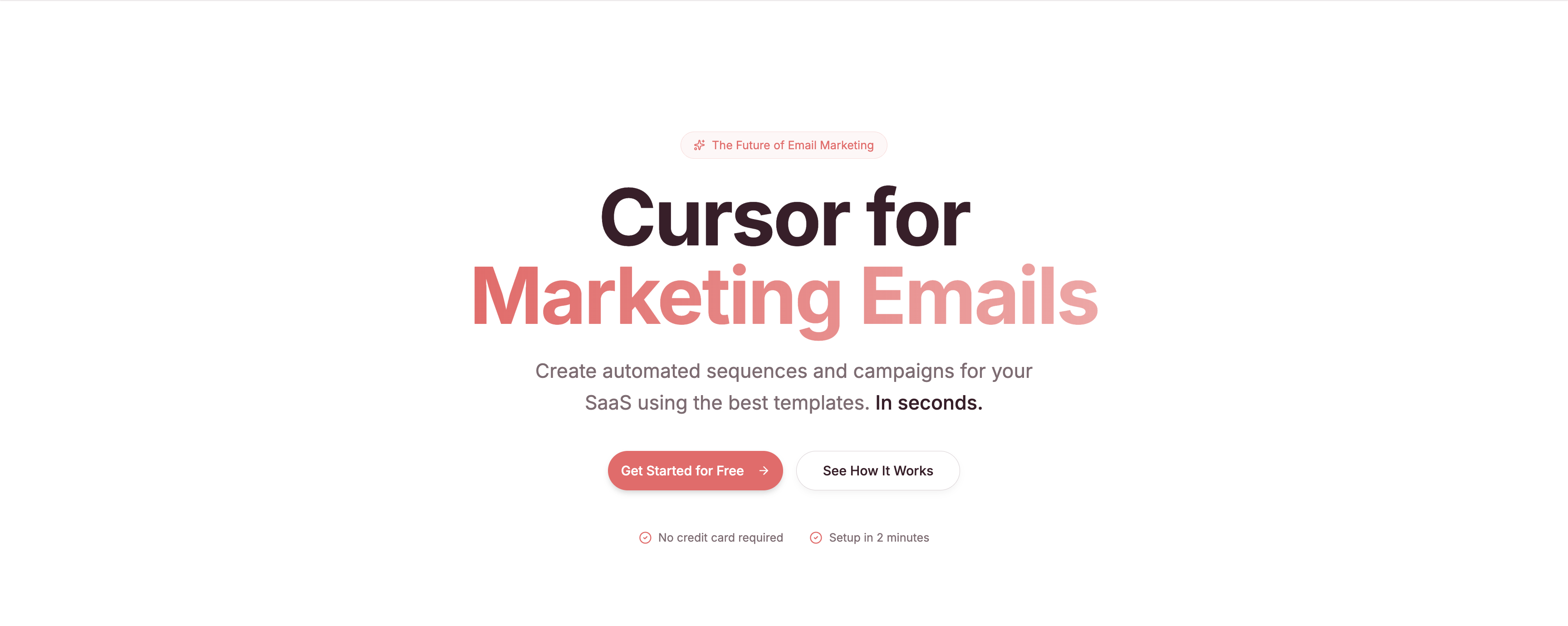
Sequenzy is an AI-powered email marketing platform that handles drip sequences, one-off broadcasts, and transactional emails from a single dashboard, with AI-assisted copywriting that lets first-time senders draft professional campaigns in seconds.
Sequenzy is an AI-powered email marketing platform designed to make email marketing effortless — even if you’ve never written a marketing email before. Whether you need automated drip sequences, one-off broadcast campaigns, or reliable transactional emails, Sequenzy handles it all from one clean, intuitive dashboard with zero learning curve.
What sets Sequenzy apart is how fast you can go from zero to a fully running email campaign. The AI-assisted copywriting helps you draft professional, high-quality emails in seconds, while ready-made automation workflows cover the most common use cases: welcome sequences, payment recovery, re-engagement campaigns, and more. Need to send a quick product update or announcement to your entire list? One-off campaigns are just as simple to set up. And with built-in transactional email support, you can handle order confirmations, password resets, and other triggered messages without needing a separate provider.
Sequenzy also takes email deliverability seriously, with built-in authentication support for SPF, DKIM, and DMARC to help ensure your emails actually land in your customers’ inboxes. If you’re looking for a lightweight, affordable, and genuinely easy-to-use email marketing tool that covers everything from marketing campaigns to transactional emails, Sequenzy is worth checking out.
Pricing: Free up to 2,500 emails/month. Paid plans from $19/month.
Key Features:
- AI-assisted copywriting for drafting marketing and transactional emails in seconds
- Ready-made automation workflows for welcome sequences, payment recovery, and re-engagement
- One-off broadcast campaigns for product updates and announcements
- Built-in transactional email for order confirmations, password resets, and triggered messages
- SPF, DKIM, and DMARC authentication built in for deliverability
- Single dashboard covering marketing and transactional email in one tool
Who Should Choose Sequenzy
- First-time email marketers who want AI to handle the copywriting heavy lifting
- Teams that want marketing and transactional email from a single provider
- Small businesses and SaaS founders looking for a lightweight, affordable email tool
18. NotifyVisitors

Quick Summary
NotifyVisitors is an email marketing tool with user segmentation, automated campaign setup, customizable templates, and comprehensive reporting for tracking campaign performance and product discovery insights.
NotifyVisitors makes it easy to segment users, set up automated email campaigns, and customize templates for different purposes. The user-friendly interface helps teams get campaigns running quickly without a steep learning curve.
Built-in reporting tools track campaign success in real time, providing informed insights for optimizing future sends.
Pricing: Free plan available. Paid plans based on usage. Contact for pricing.
Key Features:
- User segmentation with behavioral and demographic filters
- Automated email campaign setup with scheduling
- Customizable email templates for different use cases
- Comprehensive real-time reporting and analytics
- Push notification and in-app messaging capabilities
Who Should Choose NotifyVisitors
- Teams that want email marketing combined with push notifications
- Marketers who need detailed reporting for campaign optimization
- Businesses looking for a user-friendly platform with minimal setup
19. Dripify

Quick Summary
Dripify is a sales automation tool with LinkedIn and email automation features designed for connecting with prospects and leads through multi-channel outreach campaigns.
Dripify combines LinkedIn automation with email outreach, letting you build drip sequences that span both channels. You can automate connection requests, follow-up messages, and email sequences from one dashboard.
Check their comprehensive email finder guide to learn about finding prospect email addresses with Dripify.
Pricing: Basic from $39/month. Pro from $59/month. Advanced from $79/month.
Key Features:
- LinkedIn and email automation in a single platform
- Multi-step drip campaigns across channels
- Built-in email finder for prospect discovery
- Campaign analytics with engagement tracking
- Team management and collaboration features
Who Should Choose Dripify
- Sales teams that prospect on both LinkedIn and email
- B2B marketers running multi-channel outreach campaigns
- Agencies managing LinkedIn automation for multiple clients
20. Warmy.io

Quick Summary
Warmy.io is an AI-powered email warmup solution that integrates with major email providers to build sender reputation, improve deliverability, and prevent your campaigns from landing in spam.
Warmy.io addresses the deliverability problem that every email marketer faces: new domains and addresses need reputation before ISPs trust them. The platform automates the warmup process, gradually increasing send volume while generating real engagement signals.
It integrates with Gmail, Google Workspace, Outlook, Microsoft 365, Zoho, Yahoo, SendGrid, AWS, and most major ESPs. Real-time monitoring shows your warmup progress and sender reputation score. The platform also provides personalized templates for effective communication strategies.
Pricing: Plans from $49/month per mailbox. 7-day free trial.
Key Features:
- AI-powered automated email warmup process
- Real-time progress monitoring and sender reputation scoring
- Integration with Gmail, Outlook, Microsoft 365, Zoho, SendGrid, and more
- Personalized email templates for deliverability optimization
- 24/7 customer support with transparent operations
Who Should Choose Warmy.io
- Teams launching cold email campaigns from new domains or addresses
- Marketers experiencing deliverability issues with existing campaigns
- Agencies that set up and warm new mailboxes for multiple clients
21. MailBluster

Quick Summary
MailBluster is an affordable platform for promotional bulk email sending, offering campaign management, list segmentation, A/B testing, and a drag-and-drop email composer.
MailBluster keeps costs low by routing emails through Amazon SES, which means you pay only for what you send. The platform handles campaign creation, segmentation, automation, and reporting while Amazon handles the delivery infrastructure.
The drag-and-drop composer, interactive forms, and real-time tracking make it a solid option for businesses sending high-volume promotional emails on a tight budget.
Pricing: Free (up to 62,000 emails/month with Amazon SES). Pro from $5/month for advanced features.
Key Features:
- Affordable bulk email sending via Amazon SES infrastructure
- Drag-and-drop email composer with templates
- List segmentation and double opt-in support
- A/B testing for subject lines and content
- Real-time tracking and campaign reporting
Who Should Choose MailBluster
- High-volume senders who want the lowest possible per-email cost
- Technical teams comfortable with Amazon SES configuration
- Businesses sending 50,000+ emails per month on a tight budget
22. Flodesk
Quick Summary
Flodesk is a design-first email marketing platform built for small businesses, solopreneurs, and creators who want professional, on-brand emails without a design team, with patented layout technology that renders custom fonts consistently across every major email client.
Flodesk is the email marketing platform most likely to make your emails look like they were designed by a professional. Its patented layout technology renders custom fonts and complex designs consistently across Gmail, Apple Mail, Outlook, and mobile, a technical challenge most platforms don’t solve. The result is that your brand identity actually shows up in the inbox, not just on your website.
Founded in 2019 by Rebecca Shostak and Martha Bitar, Flodesk is bootstrapped and serves over 100,000 businesses globally, surpassing $36M ARR by January 2026. Every paid plan includes unlimited email sends, which removes the per-send anxiety that affects platforms like Mailchimp on lower tiers.
Subject line A/B testing is built directly into the campaign send flow: write two subject line variations, send both to a slice of your list, and Flodesk automatically delivers the winner, determined by open rate after 24 hours, to the remaining recipients.
Pricing: Free plan (forms and landing pages, no email sending). Lite from $25/month, Pro from $35/month, Everything from $54/month. All paid plans include unlimited sends. 30-day free trial, no credit card required.
Key Features:
- Patented layout technology for consistent custom font rendering across Gmail, Apple Mail, Outlook, and mobile
- Subject line A/B testing with automatic winner delivery after 24 hours based on open rate
- Flodesk Studio: AI email design app that generates on-brand emails from a text prompt in under 5 minutes
- Multi-trigger automations with split paths, real-time reactions, and behavior-based ecommerce triggers
- Eight form types including spin-the-wheel, video, and countdown timer
- Native ecommerce checkout with abandoned cart recovery
- Roughly 99% platform-wide deliverability, nearly 10 points above industry average
Who Should Choose Flodesk
- Small businesses, solopreneurs, creators, and coaches who want emails that match their visual brand identity
- Anyone tired of email platforms that constrain design or charge by send volume
- Businesses that want email, forms, and checkout in one platform without a separate ecommerce tool
- Anyone who wants AI-assisted email design without sacrificing brand identity
23. SendX

Quick Summary
SendX offers email list building, landing page creation, opt-in forms, and built-in automation features for sending the right messages to the right people at the right times.
SendX focuses on making email marketing accessible with unlimited email sends on every plan. The platform includes a drag-and-drop editor, landing page builder, and automation workflows.
Pop-up forms and inline forms help you grow your list, and the automation engine triggers sequences based on subscriber behavior.
Pricing: Plans from $9.99/month (1,000 subscribers, unlimited emails). 14-day free trial.
Key Features:
- Unlimited email sends on all plans
- Landing page builder with conversion-focused templates
- Pop-up and inline opt-in forms for list growth
- Behavioral automation triggers
- Email heatmap analytics
Who Should Choose SendX
- High-volume senders who want unlimited emails without overage fees
- Small businesses building their first landing pages and email funnels
- Budget-conscious marketers who need automation under $10/month
24. Systeme.io

Quick Summary
Systeme.io is an all-in-one marketing platform that includes unlimited email sending, automated sequences, sales funnels, online course hosting, and membership sites on a comprehensive free plan.
Systeme.io packs more features into its free plan than most paid tools offer. You get unlimited emails, three sales funnels, one blog, one course, and automation workflows, all at zero cost for up to 2,000 contacts.
The platform is a strong choice for solopreneurs and small businesses that want to consolidate multiple tools into one.
Pricing: Free (2,000 contacts, unlimited emails). Startup from $27/month. Webinar from $47/month. Unlimited from $97/month.
Key Features:
- Unlimited email sending on all plans including free
- Sales funnel builder with templates
- Online course and membership site hosting
- Automated email sequences with behavioral triggers
- Comprehensive free plan with no credit card required
Who Should Choose Systeme.io
- Solopreneurs who want email, funnels, and courses in one platform
- Businesses on a tight budget that need a generous free tier
- Course creators and coaches building a membership business
25. MotionMail

Quick Summary
MotionMail is a niche tool that lets you add countdown timers to your emails, creating urgency that drives recipients to take action before a deadline expires.
MotionMail solves one problem extremely well: adding live, animated countdown timers to email campaigns. These timers update in real time when recipients open the email, showing exactly how much time remains on an offer.
Countdown timers are proven to increase click-through rates by creating urgency. They’re especially effective for flash sales, event registrations, and limited-time promotions.
Pricing: Free (basic timers). Paid plans from $10/month for advanced features and branding removal.
Key Features:
- Live countdown timers that update when emails are opened
- Customizable timer designs (colors, fonts, layouts)
- Works with any email marketing platform via image embed
- Multiple timer types: date-based, evergreen, recurring
- Analytics showing timer engagement rates
Who Should Choose MotionMail
- E-commerce brands running flash sales and limited-time promotions
- Event marketers building urgency for registration deadlines
- Any marketer who wants to boost click-through rates with scarcity triggers
26. Albacross

Quick Summary
Albacross is a B2B lead generation platform that identifies companies visiting your website, enriches them with firmographic data, and exports leads to your CRM or email outreach tool via Zapier.
Albacross turns anonymous website visitors into identified leads with data on company size, revenue, industry, location, and contact details. This data enables email marketing campaigns with better audience segmentation and higher open rates.
The platform integrates with Zapier, letting you automatically push identified leads into your email marketing tool or CRM for targeted follow-up campaigns.
Pricing: Self-Service from $79/month. Growth with custom pricing. Contact sales for enterprise options.
Key Features:
- Identifies anonymous website visitors by company
- Enriches leads with size, revenue, industry, and contact data
- Zapier integration for automated lead export to CRM and email tools
- Intent data showing which pages visitors viewed
- Real-time notifications for high-value website visitors
Who Should Choose Albacross
- B2B companies that want to turn website traffic into email leads
- Marketing teams building segmented email lists from visitor data
- Sales teams that want intent-based lead identification
27. ReachMail

Quick Summary
ReachMail is an email marketing platform with unlimited storage, signup confirmations, welcome messages, automated drip campaigns, and detailed reporting on open rates, click-through rates, and bounces.
ReachMail provides a straightforward email marketing experience with no storage limits on contacts or content. The platform handles the full campaign lifecycle from signup forms through post-send analytics.
Detailed reporting on opens, clicks, and bounces helps you continuously improve campaign performance.
Pricing: Free (up to 5,000 contacts, 15,000 emails/month). Paid plans from $10/month for higher volumes.
Key Features:
- Unlimited storage for contacts and email content
- Automated drip campaigns with scheduling
- Signup confirmations and welcome message sequences
- Detailed reporting on opens, clicks, bounces, and unsubscribes
- A/B split testing for campaign optimization
Who Should Choose ReachMail
- Teams that want unlimited storage without worrying about limits
- Small businesses that need a simple, affordable drip campaign tool
- Marketers who prioritize detailed deliverability reporting
Email Marketing Tools Comparison Table
| # | Tool | Free plan | Starting price | Best for |
|---|---|---|---|---|
| 1 | ActiveCampaign | Trial only | $15/mo (annual) | Advanced automation |
| 2 | beehiiv | 2,500 subscribers | $49/mo (annual) | Newsletter growth and monetization |
| 3 | Sender | 2,500 subscribers | $7/mo | High-volume free sending |
| 4 | Mailchimp | 250 contacts | $13/mo | Beginners |
| 5 | Brevo | 300 emails/day | $9/mo | Large lists, volume pricing |
| 6 | Kit | 10,000 subscribers | $39/mo | Creators |
| 7 | DMARKOFF | 14-day trial | $10/mo per domain | DMARC monitoring |
| 8 | Omnisend | 250 contacts | $16/mo | Ecommerce email + SMS |
| 9 | HubSpot | Free tools | $15/seat/mo (annual) | CRM-connected email |
| 10 | GetResponse | Trial only | $19/mo | Webinar-led marketing |
| 11 | Moosend | 30-day trial | $9/mo | Budget automation |
| 12 | Drip | 14-day trial | $39/mo | Ecommerce attribution |
| 13 | AWeber | 500 subscribers | $15/mo | WordPress sites |
| 14 | SendPulse | 15,000 emails/mo | $9.60/mo (annual) | Chatbots + multichannel |
| 15 | Keap | Demo only | $249/mo (annual) | Service business CRM |
| 16 | E-goi | Free “5001” plan | Free plan; scales by contacts | Omnichannel ecommerce automation (EU) |
| 17 | Sequenzy | 2,500 emails/mo | $19/month | AI-assisted campaign copywriting |
| 18 | NotifyVisitors | Free plan | Usage-based | Email plus push notifications |
| 19 | Dripify | — | $39/month | LinkedIn and email outreach |
| 20 | Warmy.io | 7-day trial | $49/month per mailbox | Email warmup and deliverability |
| 21 | MailBluster | 62,000 emails/mo | $5/month | Low-cost sending via Amazon SES |
| 22 | Flodesk | Forms only | $25/month | Design-led newsletters, flat pricing |
| 23 | SendX | 14-day trial | $9.99/month | Unlimited sends on a budget |
| 24 | Systeme.io | 2,000 contacts | $27/month | All-in-one funnels and courses |
| 25 | MotionMail | Basic timers | $10/month | Countdown timers in emails |
| 26 | Albacross | — | $79/month | B2B website visitor identification |
| 27 | ReachMail | 5,000 contacts | $10/month | Free high-volume sending |
How to Choose the Right Email Marketing Tool
Match the tool to the job before you compare features. These five rules cover the decisions that cost real money later.
- Pick by use case first. Ecommerce goes to Omnisend or Drip, creators go to Kit, and deep automation goes to ActiveCampaign. Budget senders should test Sender or Moosend before anything else. Running flash sales? You can add countdown timers to your emails with an embeddable widget on any of these platforms.
- Price your list at double its current size. Every contact-based platform gets pricier as you grow, and some jump sharply between bands. The renewal price matters more than the promo price.
- Segment before you send. List segmentation means splitting subscribers by behavior, purchase history, or engagement level. Start with two segments, engaged and everyone else, and mail them differently.
- Run A/B testing from the first campaign. Subject lines first, send times second, content third. Small samples still beat guessing.
- Track outcomes weekly. Watch your email marketing metrics every week and review email engagement monthly. Revenue per email tells you more than open rate ever will.
What Switching Email Platforms Looks Like, Month to Month
Migrations scare people into staying on tools they’ve outgrown. This is the realistic timeline, so you know what you’re signing up for.
Weeks 1 to 2: Export, Import, and Authentication
Export contacts, tags, and templates from the old tool, then import and map fields in the new one. Set up SPF, DKIM, and DMARC records on your sending domain right away. Those three DNS records tell the email gods you’re legitimate, and skipping them undoes everything after.
Weeks 3 to 4: Rebuild Automations and Start Small
Rebuild your welcome sequence first; it’s the highest-ROI automation on any platform. Send your first campaigns to your most engaged segment only. Strong early engagement builds sender reputation on the new infrastructure.
Months 2 to 3: Full Volume and Reporting
Ramp to full list volume gradually and retire the old tool once deliverability holds steady.
Ugh, three months? Yep. The email gods trust senders slowly, and rushing the ramp is how migrations end up in spam folders.
How to Vet an Email Marketing Tool Before You Pay
Every vendor demo looks great. These five questions surface what the demo hides. Treat the trial like product discovery: test with your real list, your real templates, and your real workflows.
- What will this cost at twice my list size? The tell: vendors that bury the tier table are planning on the jump surprising you.
- Can I export everything, anytime? The tell: platforms that limit exports of tags and automation logic are pricing in your switching costs.
- What’s the deliverability setup? The tell: a vendor that skips SPF, DKIM, and DMARC during onboarding cares more about signups than inbox placement.
- Which features sit on which tier? The tell: if the feature that sold you appears only in the top-tier column, the starting price is fiction for you.
- What support do I get at my tier? The tell: “priority support” reserved for enterprise plans means everyone else waits in the same queue.
Where EmailAnalytics Fits (That’s Us)
EmailAnalytics is an email analytics tool that visualizes team email activity in Gmail and Outlook: response times, email volumes, and SLA tracking. It measures the one-to-one email your team sends and receives, so it complements the campaign platforms above rather than replacing them.
Campaigns generate replies, and replies land in your team’s inboxes. How fast do your people respond to new leads, prospects, and customers? Which employees aren’t pulling their weight?
Those are the questions EmailAnalytics answers, and they decide whether campaign-generated leads turn into revenue. Sign up for a free trial today, and find out.
Reply speed is a team habit, and habits improve when they’re measured. Our guide to effective communication covers the skills side of that equation.
Further reading: See our list of B2B lead generation tools, our collection of sales email templates, and our guide to automated email responses. Our roundup of the best bulk email services completes the set. Browse this big list of email marketing stats, plus why LinkedIn automation and email marketing are a match made in heaven.
Frequently Asked Questions
What is the best email marketing tool?
ActiveCampaign is the best email marketing tool for most teams in 2026. It wins on automation depth, 950+ prebuilt recipes, and a 4.5 out of 5 G2 rating across 14,000+ reviews. Beginners get a faster start with Mailchimp, and ecommerce stores should look at Omnisend first.
What is the best free email marketing tool?
Sender offers the biggest free plan by volume: 2,500 subscribers and 15,000 emails per month. Kit’s free Newsletter plan supports up to 10,000 subscribers with one automation, which suits creators with large lists. AWeber’s free plan covers 500 subscribers with 3,000 sends per month.
How much do email marketing tools cost?
Most email marketing tools cost between $9 and $50 per month at small list sizes, and pricing scales with subscriber count. Entry points on this list range from $7 per month for Sender to $249 per month for Keap. Free plans from Mailchimp, Brevo, and Omnisend cover low-volume sending.
What is the difference between email marketing and marketing automation?
Email marketing sends campaigns and newsletters to a subscriber list on a schedule you set. Marketing automation triggers personalized messages from user behavior, like abandoned cart emails and welcome sequences. Most modern platforms include both, but ActiveCampaign and Keap go deepest on automation.
What email marketing metrics should I track?
Track open rate, click-through rate, conversion rate, bounce rate, and unsubscribe rate. Open rate reflects subject lines and sender reputation, while click-through rate (the share of recipients who click a link) measures content. Our guide to email metrics covers 20 KPIs in detail.
What is email deliverability and why does it matter?
Email deliverability is the percentage of sent emails that reach inboxes instead of spam folders. Low deliverability makes campaigns invisible no matter how good the content is. Authentication records (SPF, DKIM, DMARC) and a gradual email warmup protect your sender reputation.
How do I choose the right email marketing tool?
Start with your list size, budget, and primary use case. Ecommerce stores should shortlist Omnisend or Drip, creators should try Kit, and budget senders should test Sender or Moosend. Teams that need deep automation tied to CRM data should evaluate ActiveCampaign, HubSpot, or Keap.
Pick one platform from this list, import a clean segment, and send something this week. The email gods reward senders who show up on schedule with mail people want.

Jayson is a long-time columnist for Forbes, Entrepreneur, BusinessInsider, Inc.com, and various other major media publications, where he has authored over 1,000 articles since 2012, covering technology, marketing, and entrepreneurship. He keynoted the 2013 MarketingProfs University, and won the “Entrepreneur Blogger of the Year” award in 2015 from the Oxford Center for Entrepreneurs. In 2010, he founded a marketing agency that appeared on the Inc. 5000 before selling it in January of 2019, and he is now the CEO of EmailAnalytics and OutreachBloom.


Hi Jayson,
I found almost all the leading email marketing tools listed in this article.
You have shared a brief of every tool in this post, which helped to get a basic insight into most of them.
I like Getresponse for its all in one service, from email marketing to automation, landing pages and many more. Getresponse comes in very handy.
Moosend is also trying to be a better one, with an affordable price, and automation option in the free plan itself, It’s doing good.
I have also written an article about the top 6 email marketing tools and would love, if you have a look at it.
Regards,
Tanay
Which one can you add bought emails to it? What are the spam rules?